Streamline the entire guest journey, from booking to check-out.
Booking Confirmation
Guest Verification
Contactless Check-in
During Stay
Contactless Check-out
Post Stay
" width="101px"><path d="M 93.231 96.803 C 93.231 94.665 94.97 92.931 97.115 92.931 C 99.261 92.931 101 94.665 101 96.803 C 101 100.567 99.498 104.181 96.831 106.845 C 94.157 109.505 90.534 111 86.756 111.001 L 14.244 111.001 C 6.379 110.995 0.006 104.642 0 96.803 L 0 40.013 C 0.001 38.817 0.555 37.689 1.502 36.956 L 48.117 0.817 C 49.518 -0.272 51.482 -0.272 52.883 0.817 L 99.498 36.956 C 100.445 37.689 100.999 38.817 101 40.013 L 101 45.175 C 101 47.314 99.261 49.047 97.115 49.047 C 94.97 49.047 93.231 47.314 93.231 45.175 L 93.231 41.907 L 50.5 8.778 L 7.769 41.907 L 7.769 96.803 C 7.775 100.365 10.67 103.251 14.244 103.257 L 86.756 103.257 C 90.327 103.246 93.219 100.363 93.231 96.803 Z" fill="rgb(113, 118, 128)" height="111.0011201378868px" id="ZAOwRof7r" transform="translate(0 0)" width="101px"/><path d="M 1.143 19.203 L 19.271 1.133 C 20.787 -0.378 23.245 -0.378 24.761 1.133 C 26.277 2.645 26.277 5.095 24.761 6.606 L 13.268 18.067 L 60.862 18.067 C 63.007 18.067 64.747 19.801 64.747 21.94 C 64.747 24.078 63.007 25.812 60.862 25.812 L 13.268 25.812 L 24.761 37.273 C 26.277 38.784 26.277 41.234 24.761 42.746 C 23.245 44.257 20.787 44.257 19.271 42.746 L 1.143 24.676 C 0.411 23.952 0 22.967 0 21.94 C 0 20.912 0.411 19.927 1.143 19.203 Z" fill="rgb(113, 118, 128)" height="43.87900458008926px" id="v_RH1ET7l" transform="translate(23.308 49.047)" width="64.74663820304386px"/></g></svg>)
Check-in
Provide stress-free arrival experience, that delights and drives revenue, like in the best hotels
Create consistent seamless check-ins
Manage digital access, with or without smart locks
Increase operational efficiency for your staff
Automate early check-in offers or Gap Nights
" width="100px"><path d="M 92.308 95.931 C 92.308 93.812 94.03 92.094 96.154 92.094 C 98.278 92.094 100 93.812 100 95.931 C 100 99.661 98.513 103.242 95.872 105.882 C 93.225 108.518 89.638 110 85.897 110.001 L 14.103 110.001 C 6.316 109.995 0.006 103.7 0 95.931 L 0 39.652 C 0.001 38.468 0.549 37.35 1.487 36.623 L 47.641 0.809 C 49.028 -0.27 50.972 -0.27 52.359 0.809 L 98.513 36.623 C 99.451 37.35 99.999 38.468 100 39.652 L 100 44.768 C 100 46.888 98.278 48.606 96.154 48.606 C 94.03 48.606 92.308 46.888 92.308 44.768 L 92.308 41.53 L 50 8.699 L 7.692 41.53 L 7.692 95.931 C 7.698 99.461 10.565 102.321 14.103 102.327 L 85.897 102.327 C 89.433 102.315 92.296 99.459 92.308 95.931 Z" fill="rgb(113, 118, 128)" height="110.00111007690259px" id="MLrHw9yOP" transform="translate(0 0)" width="100px"/><path d="M 53.533 17.905 L 42.154 6.546 C 40.653 5.049 40.653 2.621 42.154 1.123 C 43.655 -0.374 46.089 -0.374 47.59 1.123 L 65.538 19.03 C 66.263 19.748 66.67 20.724 66.67 21.742 C 66.67 22.76 66.263 23.736 65.538 24.453 L 47.59 42.361 C 46.089 43.858 43.655 43.858 42.154 42.361 C 40.653 40.863 40.653 38.435 42.154 36.937 L 53.533 25.579 L 3.846 25.579 C 1.722 25.579 0 23.861 0 21.742 C 0 19.623 1.722 17.905 3.846 17.905 Z" fill="rgb(113, 118, 128)" height="43.48369823251841px" id="zaT_iJF1b" transform="translate(17.949 48.605)" width="66.6696849433539px"/></g></svg>)
Check-out
Simplify departures and accelerate turnovers to boost profitability
Prompt late checkout upsells + extend your stay
Know precisely when your guests check out
Increase five-star reviews
Drive guests to your direct booking website
Built for Seamless Check-Ins in Vacation Rentals
From check-in rules to lock codes and language preferences, Enso Connect handles the entire guest arrival experience so your team doesn’t have to.
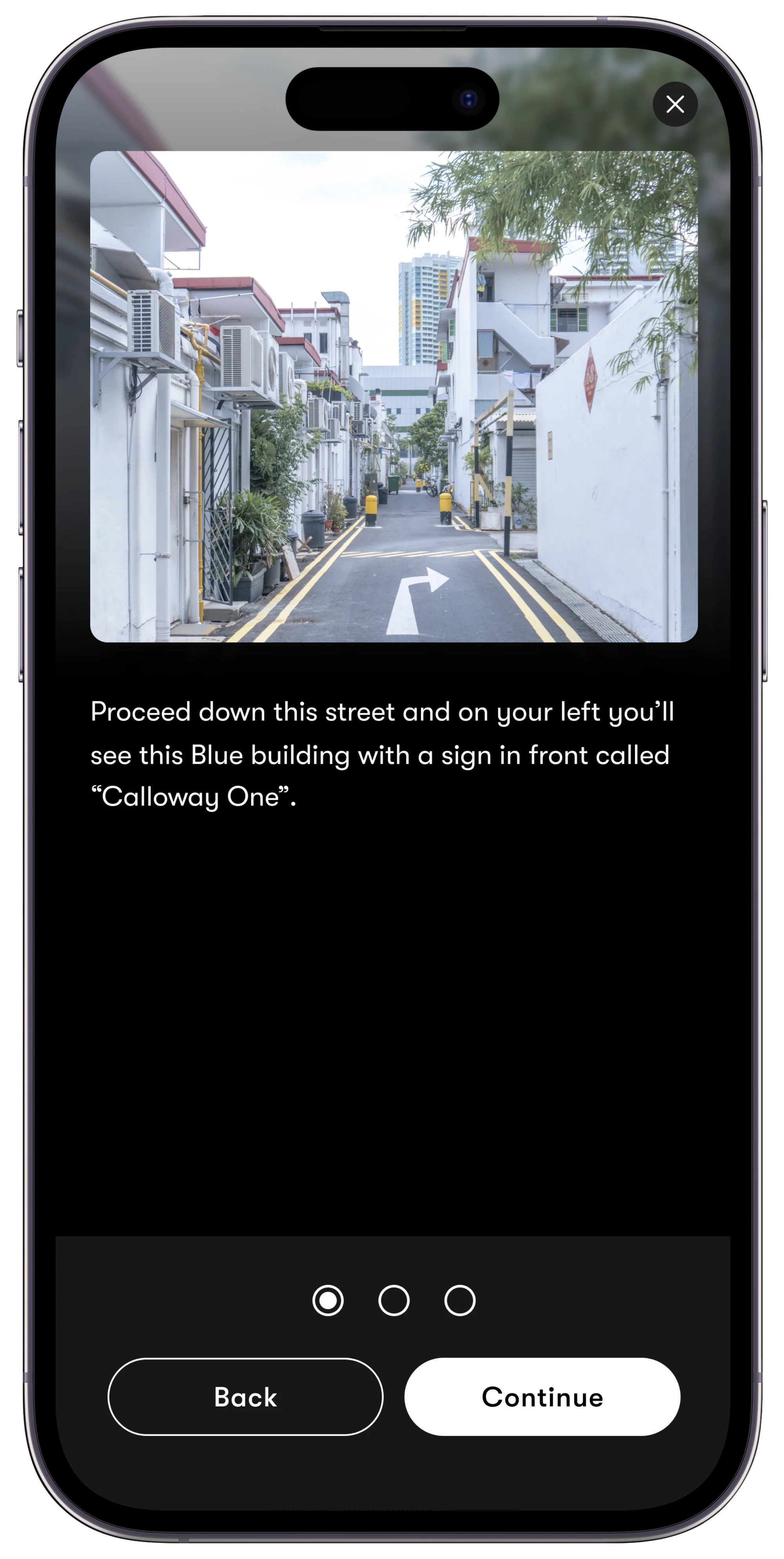
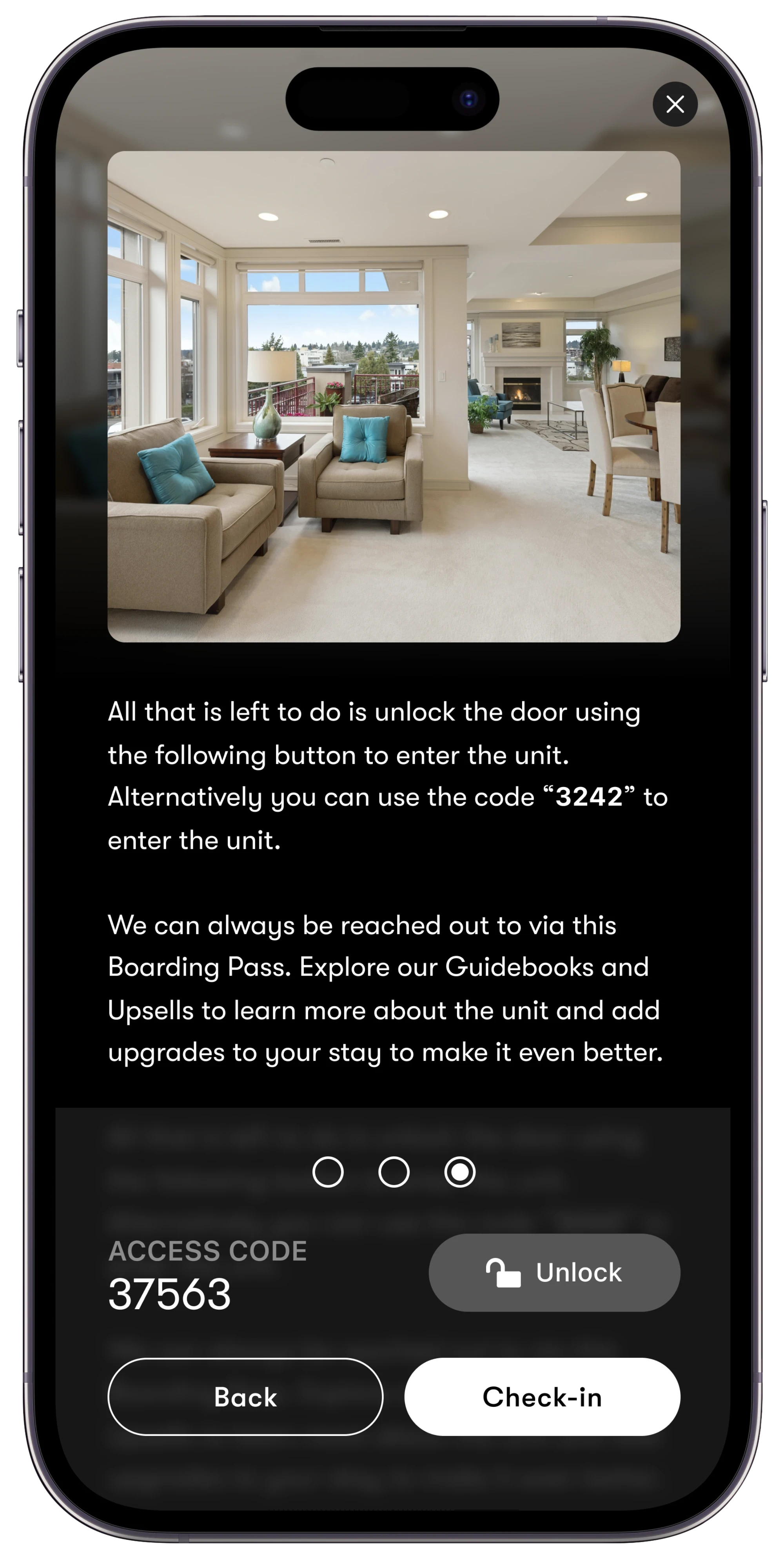
Provide clear steps
Guide your guests through the check-in process with step-by-step instructions. Include both an image and text to help clarify each step.
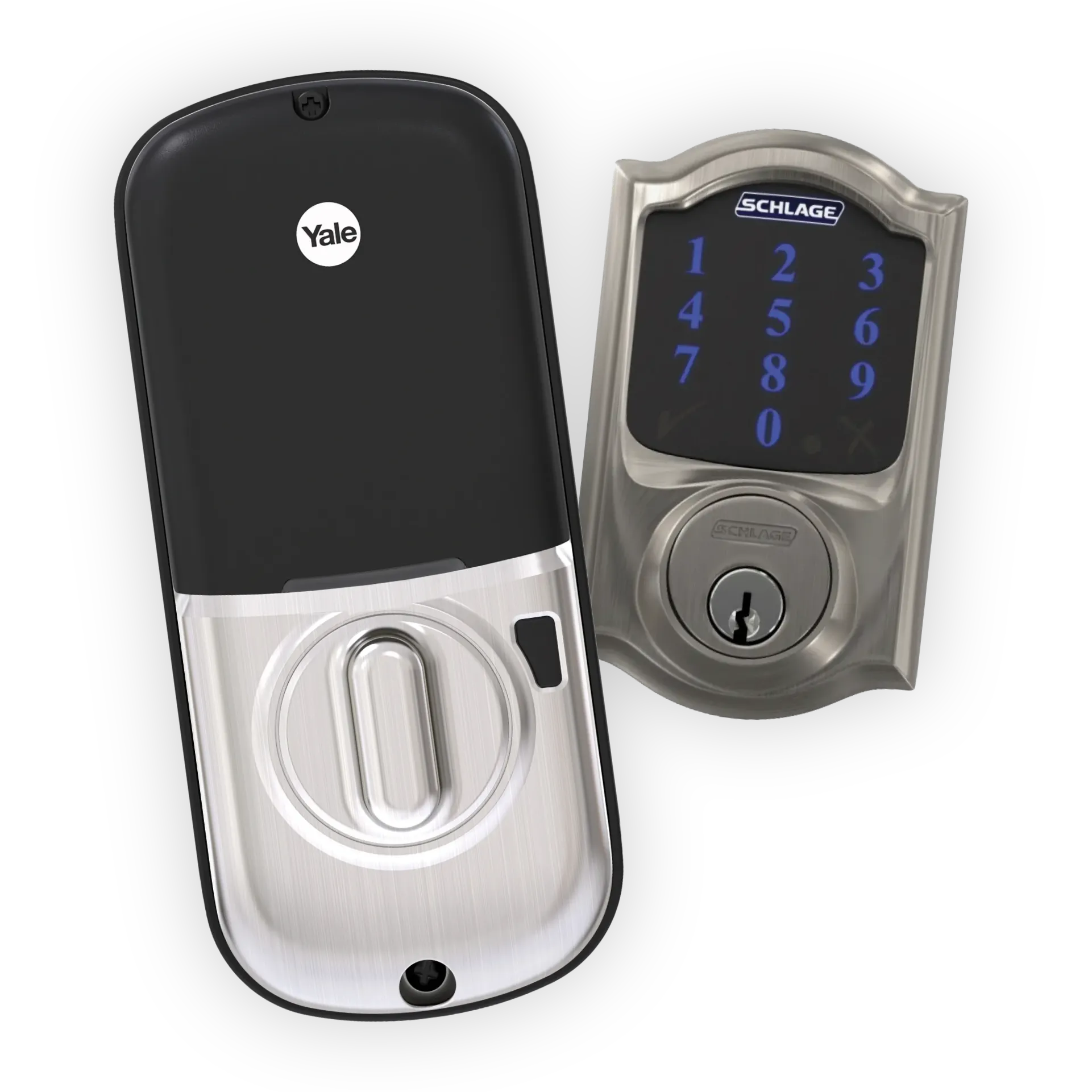
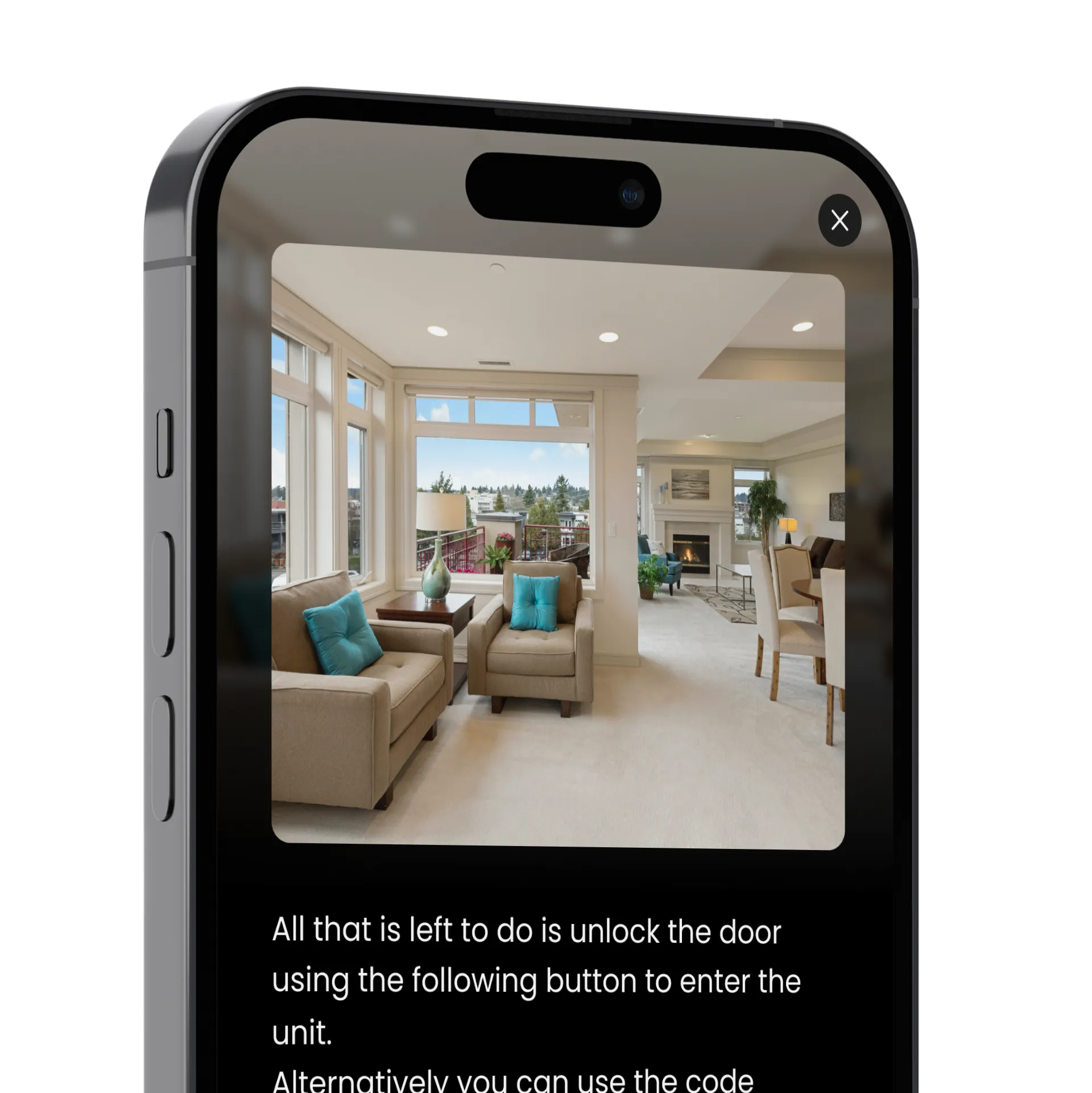
Connect smart locks
Optionally add one or more smart locks to your properties. From the main gate to the front door; make it easy for guests to access the property.
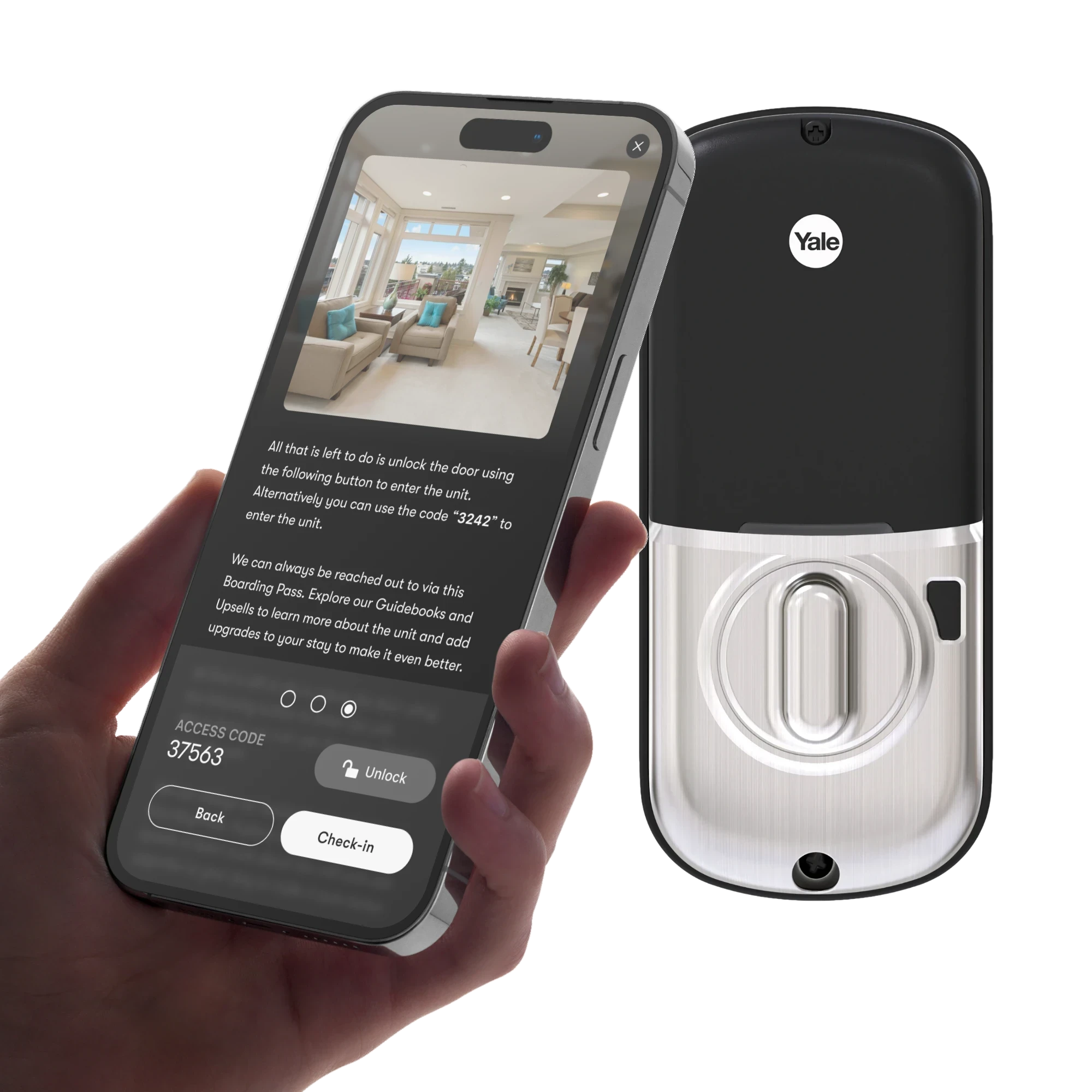
Digitally Unlock the Door
Add a Smart Lock to a check-in step enabling the guest to unlock with a single tap or have access to the lock code.
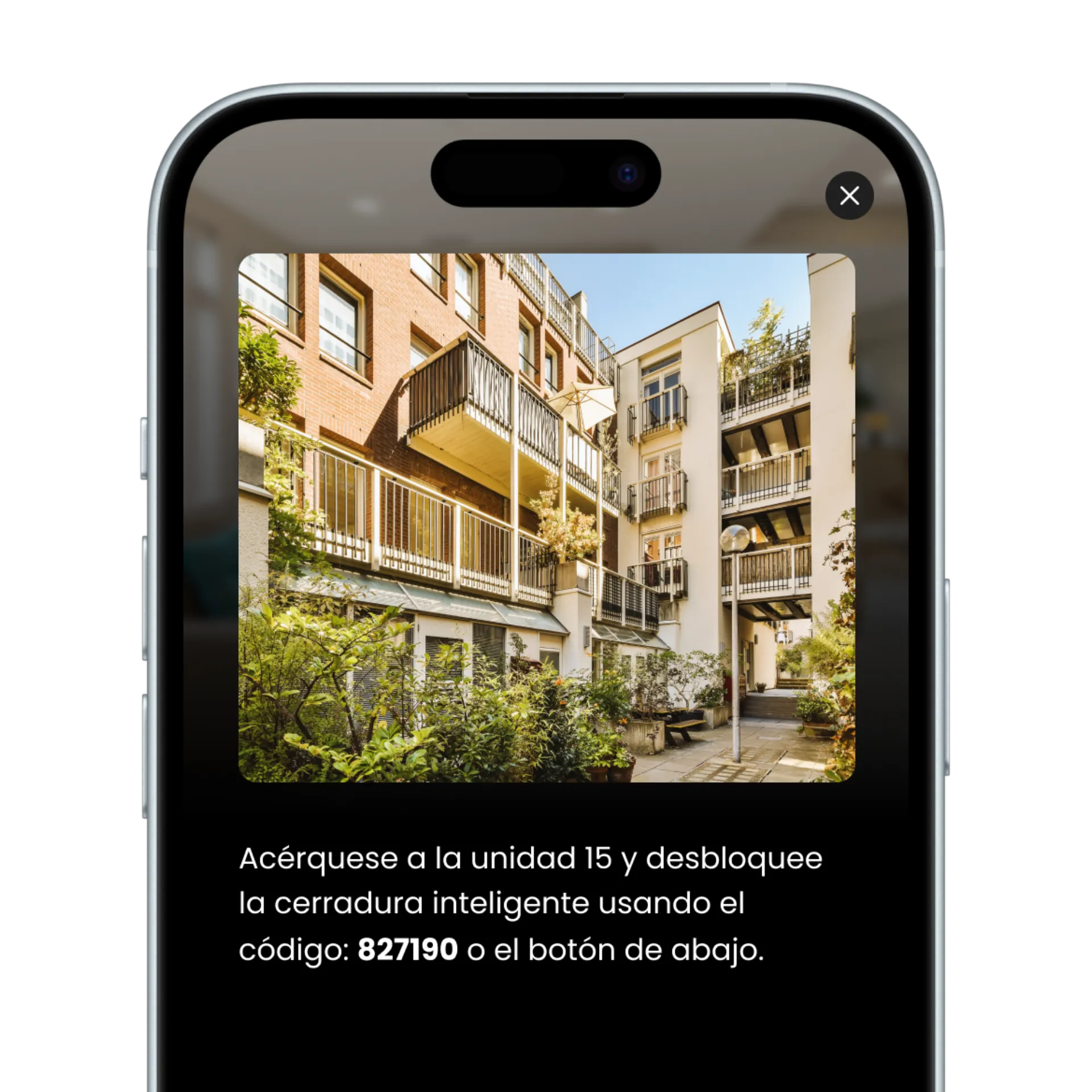
Support any language
From English, French, Spanish, or even Catalan, Breton, and more, Enso Connect covers over 200+ languages.
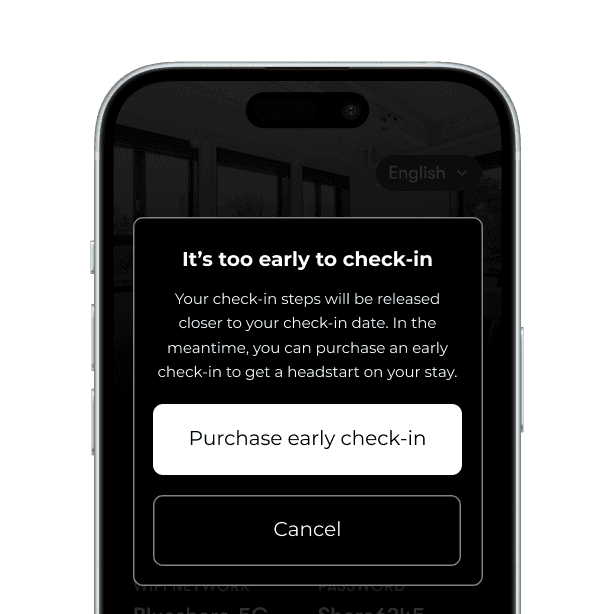
Set your own rules
Set when to allow guests to access their check-in steps or prompt an early check-in upsell if they’re too early.
How to sell early check-ins automatically
Stop leaving upsell revenue on the table. With the right automation in place, early check-in, late checkout, gap nights, and damage waivers sell themselves! With tech like Enso Connect, no staff involvement is required.
Step 1
Set availability rules
Define when upsells can be offered based on your cleaning schedules. The rules will be specific to you and the property, and you can create an approval loop as well if needed. Easiest offer to automate is if the property is free the day before a guest's check-in time, early check-in could become available automatically.
Step 2
Trigger automated offers
Upsell offers are sent to guests during pre-arrival messaging or when they access their check-in instructions. The timing is deliberate, guests are already engaged and thinking about their stay, which is when they're most likely to buy.
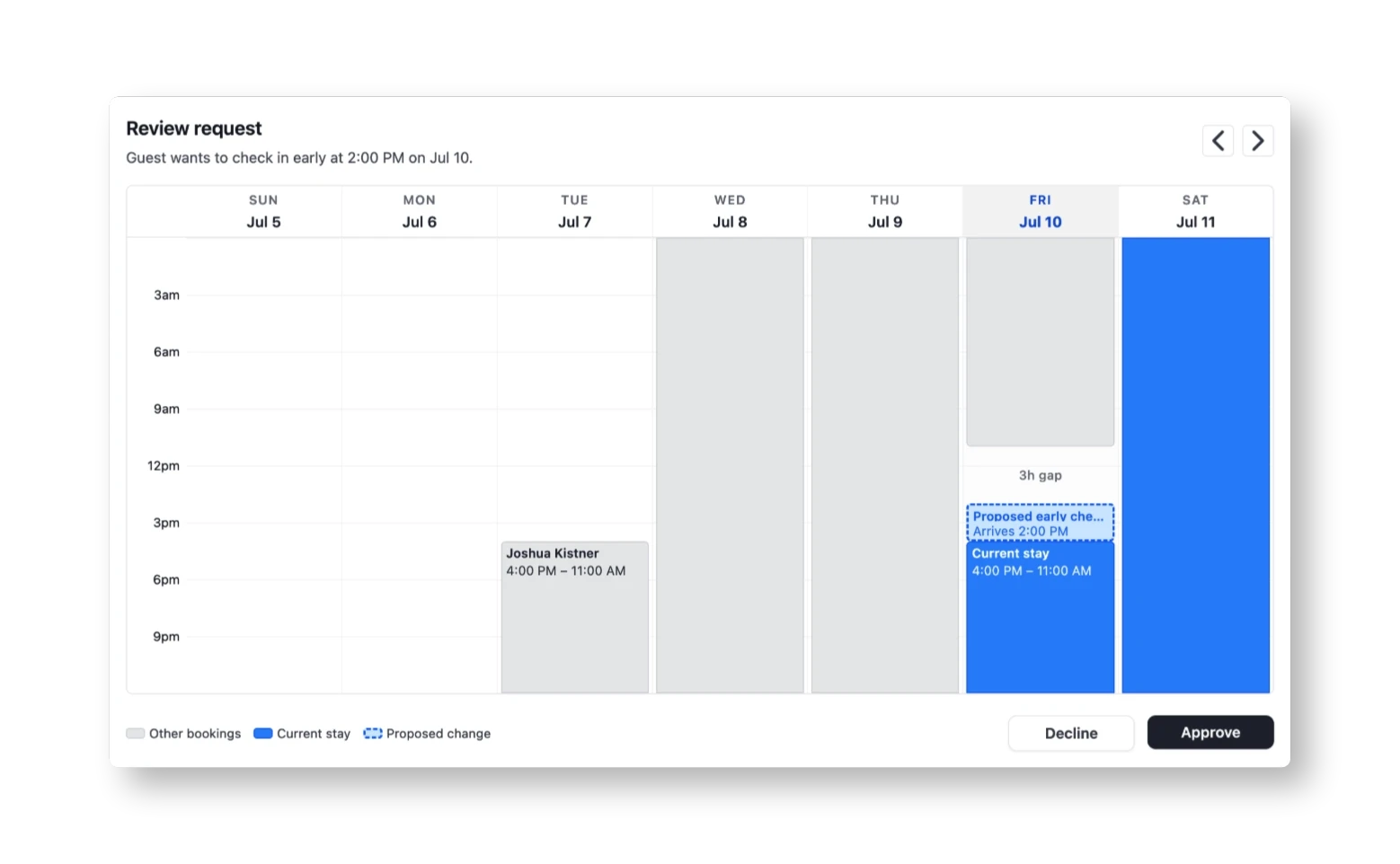
Step 3
Display pricing
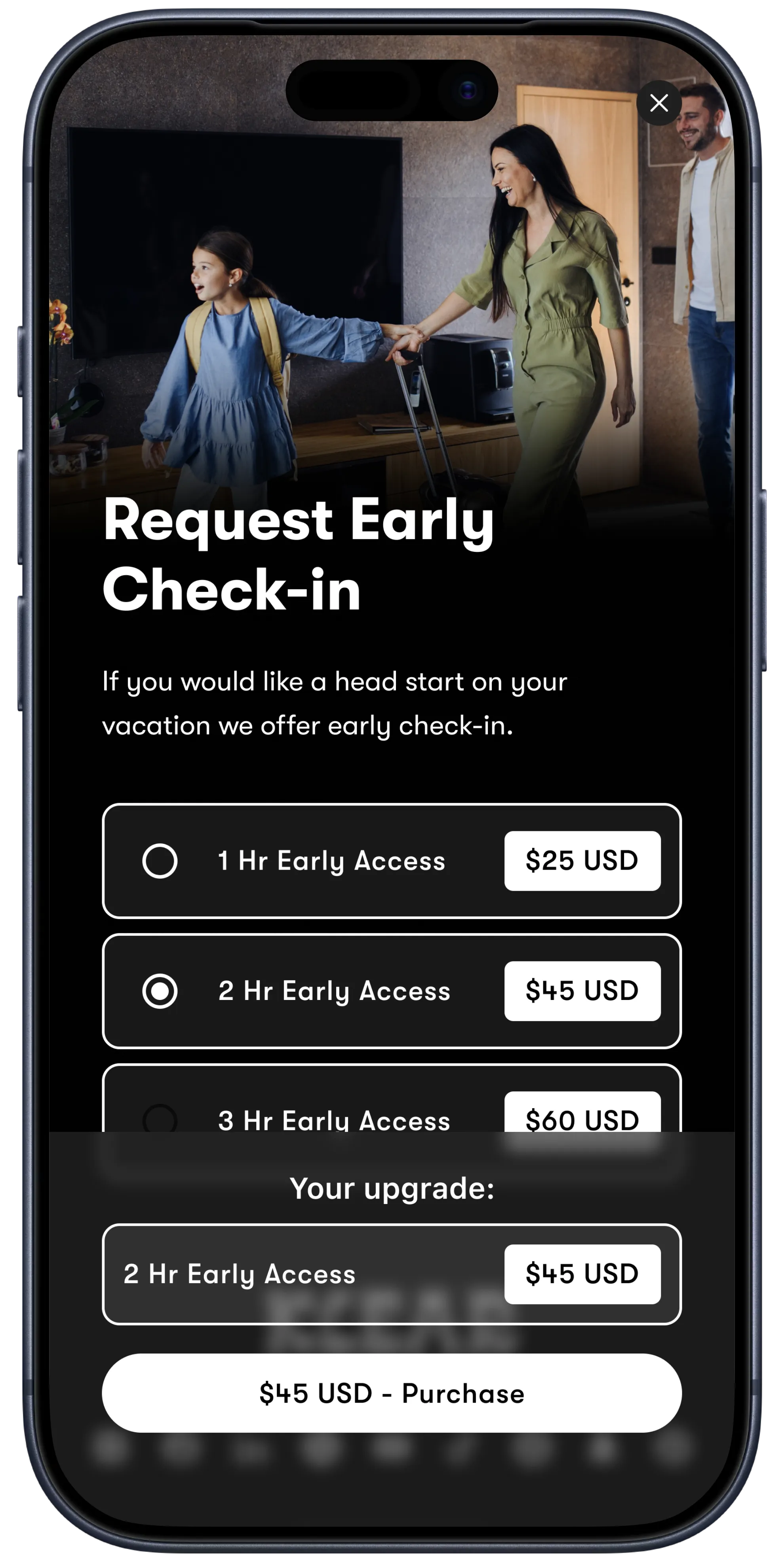
Set your own pricing for each upsell type based on your market, property type, and guest demand. Early check-in, late checkout, gap nights, custom upsells, and damage waivers can all be priced independently and adjusted any time directly in your Enso Connect account.
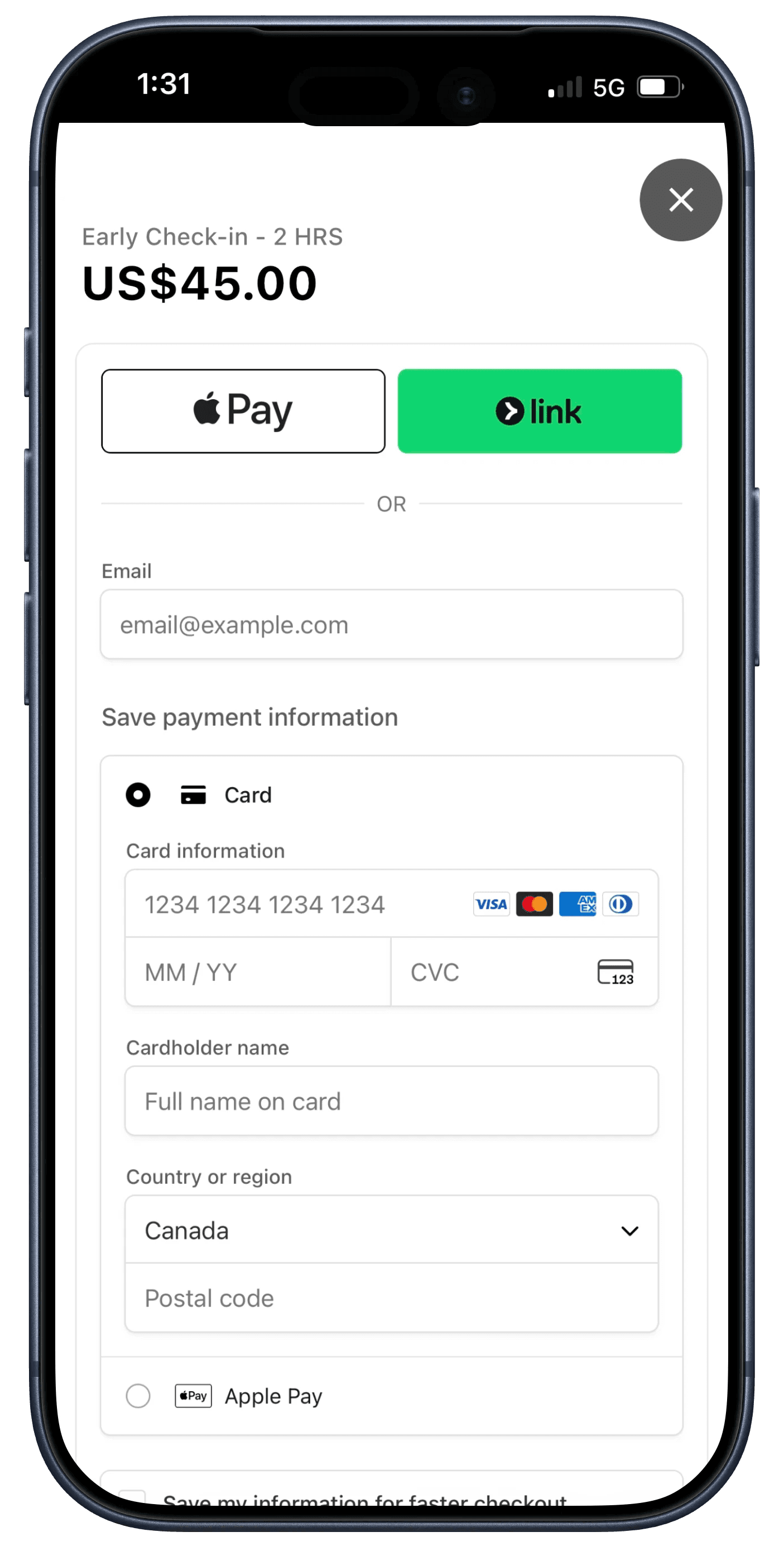
Step 4
Enable instant purchase
With the Enso Connect boarding pass, guests buy in one tap via CC or Apple Pay. No back-and-forth, no waiting for approval, no messages to your team. The transaction completes instantly and revenue is recorded automatically.
Step 5
Automate access
Once a guest purchases early check-in or late checkout, smart lock timing and access instructions update automatically. The guest gets a new access window. Your team gets notified.
Why vacation rental pros choose Enso Connect for seamless check-ins.



Explore More Features
Everything you need to deliver exceptional, end-to-end guest experiences.