99% of guests check in through the Boarding Pass GUEST APP. ENSO PLATFORM DATA.
Digital check-in and checkout, automated
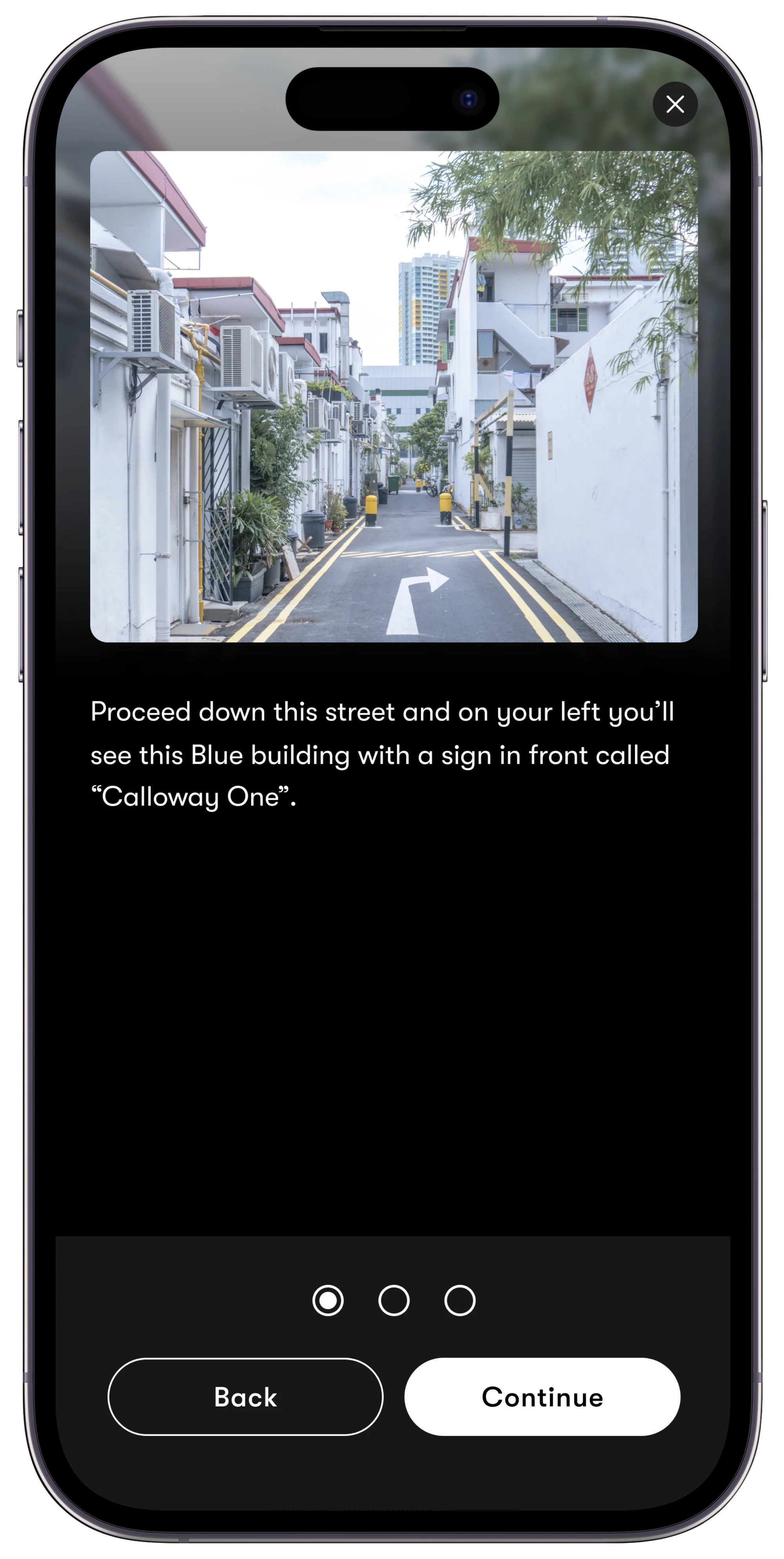
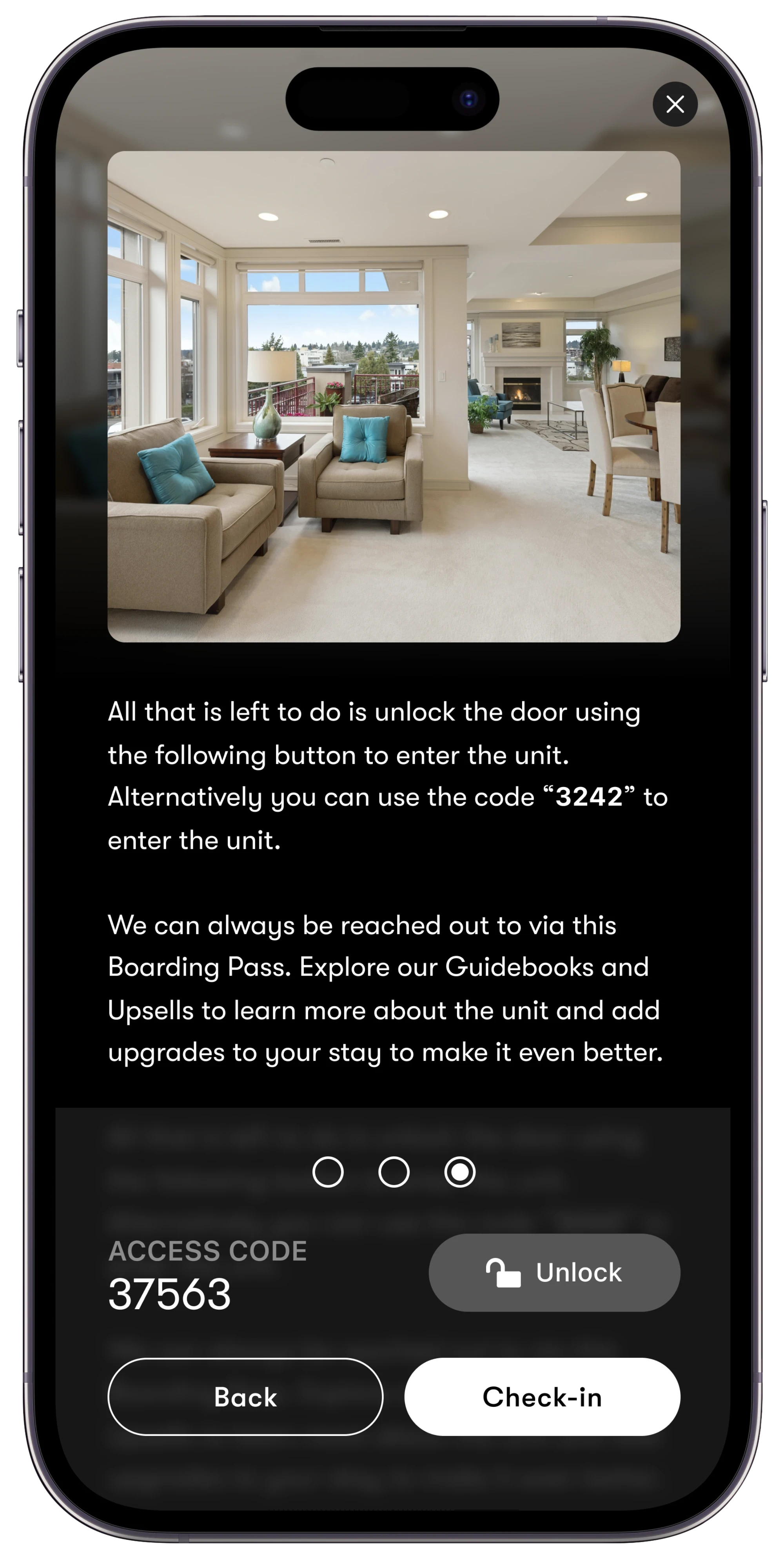
Step-by-step arrival instructions with pictures and videos, with the door unlocking right from the guest’s phone. You decide when instructions appear; guests never message you asking how to get in.
No app download for guests
Works with or without smart locks
99%
of guests check in through Enso’s Boarding Pass
Measured across all bookings on Enso Connect.
100s
of smart lock brands and models connected
200+
languages, instructions auto-translated
QUICK ANSWER: How does digital check-in and check-out work with Enso Connect?
Enso Connect turns check-in and check-out into an automated flow: guests complete verification, get their door code from your smart lock at exactly the right time, and follow step-by-step visual instructions in their Boarding Pass — no apps, no front desk. 99% of guests check themselves in, and check-out runs the same way in reverse.
Booking Confirmed
Guest Verification
Enso Transport
Check-in
During Stay
Checkout
Post Stay
STEP BY STEP
Step by step instructions with pictures and videos. Impossible to get lost.
Every check-in is a sequence of steps you author once: a photo or video of exactly what the guest is looking at, a line of text, and, when there’s a lock, the code or an unlock button. In the guest’s language, on their phone, no app.
Step 1
Find the building: a photo of exactly what they’ll see
Step 2
Get to the door: short text or a walkthrough video
Step 3
Unlock: the code and a one-tap unlock button
BUILT BY AI
Your check-in steps already exist. AI just finds them.
EnsoAI scans the messages, guidebooks and saved replies you already send, pulls out the check-in and checkout instructions, and splits them into a clean step-by-step flow with images attached. Nothing to write from scratch.
The old way
One giant message the night before
Hi! Check-in is at 3pm. The building is the grey one at 240 Wells St, park behind it in spot #12 but not on Tuesdays (street cleaning). Walk around the left side, the gate code is 827190, push hard because it sticks. Then take the stairs to the 2nd floor, the front door has a keypad, code 37563, press the checkmark after. Wifi is CasaWells / sunshine22. The thermostat is in the hallway… and please don’t lose the garage remote, it’s $150 to replace…
Buried, unsearchable at the door, and re-sent by hand for every single booking.
The Enso way
The same content, as steps in the Boarding Pass
1
Park in spot #12
📷 photo
2
Side gate, code 827190
▶ video
3
Front door, tap to unlock
🔒 smart lock
Reviewed by you once, then delivered automatically to every booking, in every language.
ON YOUR TERMS
Instructions appear when you say so
Most operators reveal check-in steps only after verification is complete, and some also wait until check-in time. It’s your rule: by time, by verification status, or both.
One flow, in the order you choose
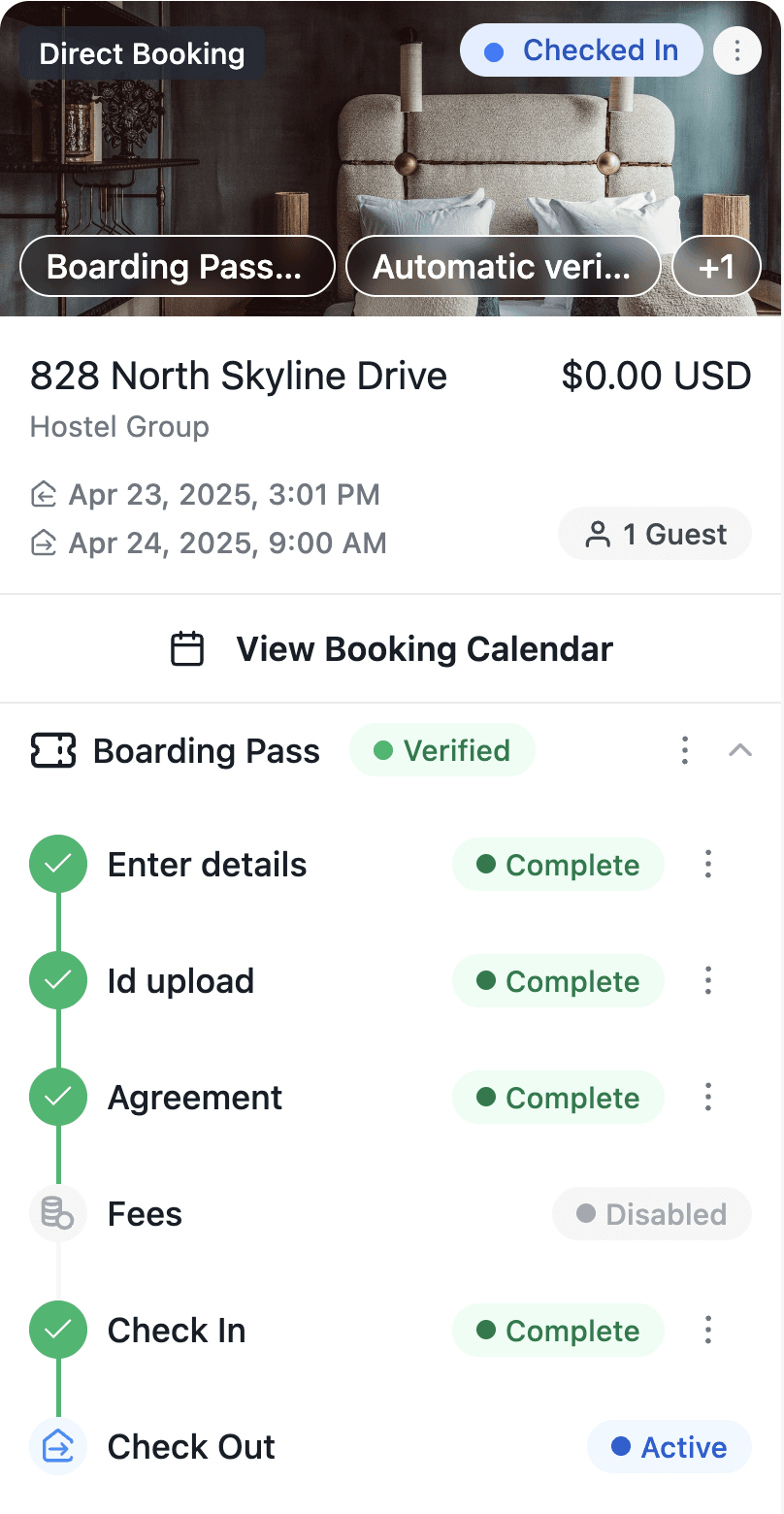
Check-in is a step in the Boarding Pass flow, not a message you hope guests find. Details, ID upload, agreement and fees come first; the check-in steps unlock only once everything you require is complete. You see exactly where every guest stands, per reservation.
Gate by verification: steps stay hidden until screening is complete.
Gate by time: release instructions the morning of arrival, or days before. Your call.
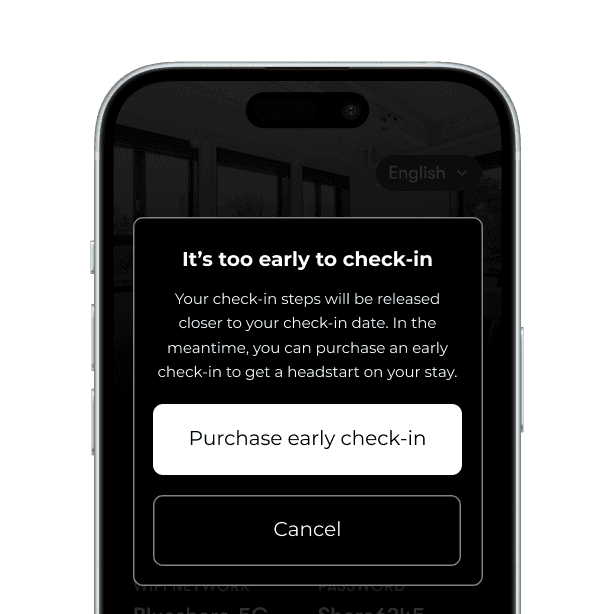
Too early? Guests see an early check-in offer instead of the steps.
SMART LOCKS & DEVICES
The most robust smart device management in the industry
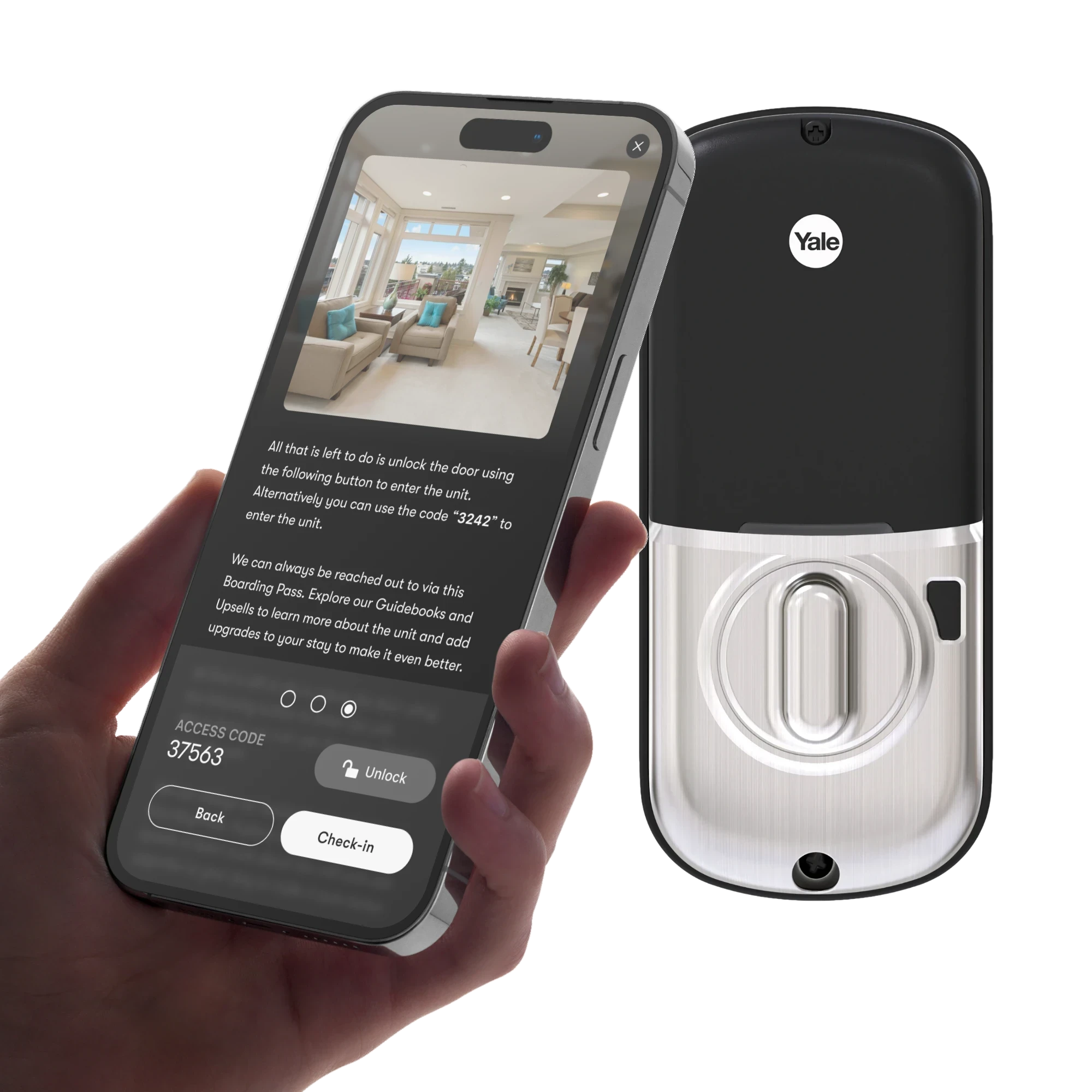
Hundreds of lock brands connect to Enso. Codes are generated per booking, scoped to the stay window, and updated automatically when plans change.
Per-booking codes
Unique, created at booking, expired at check-out.
Multi-door access
Main gate, garage, unit door. Each its own step.
Schedules follow the booking
Early check-in purchased? The access window moves itself.
Device health
Battery and offline alerts before they become a locked-out guest.
Team-level codes
Permanent or temporary codes for cleaners and maintenance.
Codes guests remember
Last 4 digits of the guest’s phone number, when available.


CHECK-OUT
Departures that accelerate your turnovers
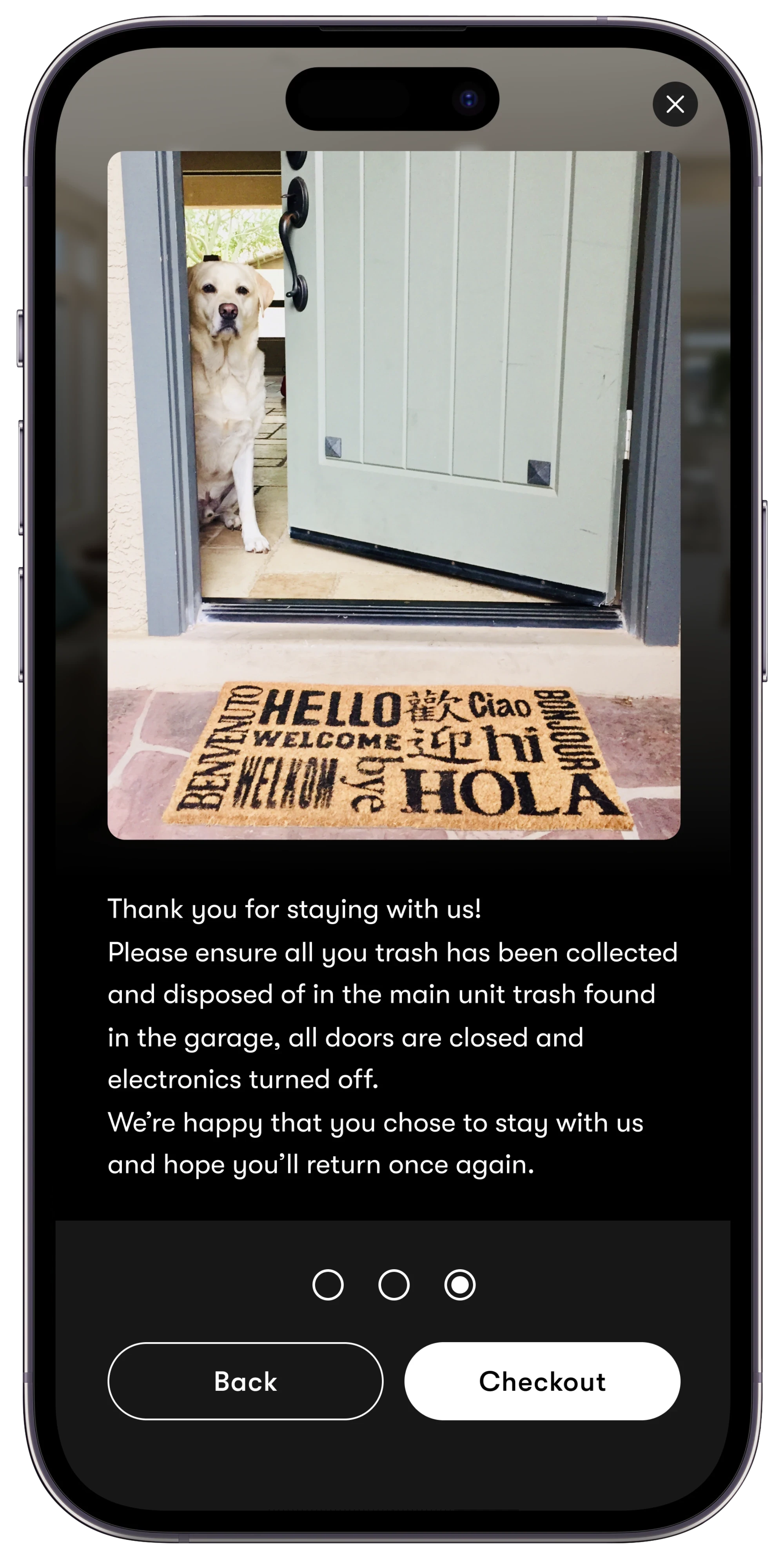
The same step-by-step flow, in reverse. Guests confirm checkout from the Boarding Pass, so cleaning starts the minute the door closes, not whenever someone drives by to check.
Know precisely when guests leave. Your team gets notified instantly.
Late check-out sells itself when the property's free the next morning.
A review prompt at the happiest moment: right after a smooth stay.
Send departing guests to your direct booking site for their next stay.
BONUS REVENUE
Early check-in and late checkout sell themselves
Guest arrives early? Instead of the steps, they see an offer priced by you, paid in one tap, with lock timing updated automatically.
💵 +$45 earned
1
You set the rule
Early check-in is offered automatically when the night before is free.
2
Guest buys in one tap
Card or Apple Pay, right in the Boarding Pass. No back-and-forth with your team.
3
Access updates itself
Smart lock windows and check-in steps move to the new time automatically.
CUSTOMERS
Why pros run check-ins on the Boarding Pass guest app



FAQ
Questions about digital check-In & checkout
Do guests really use it? What does 99% mean?
Across bookings on Enso Connect, 99% of guests complete check-in through the Boarding Pass. It is an observed product metric, not a survey. It works because there is nothing to download and nothing to learn: guests tap a link from the booking channel or SMS and follow the steps.
When do guests see the check-in instructions?
Whenever the operator decides. Most operators reveal them only after guest verification is complete, and not before check-in time. Both conditions are rules set per listing or portfolio-wide.
What if a guest arrives before check-in time?
They see an early check-in offer instead of the steps, priced by the operator and purchased in one tap. Once paid, lock schedules and instructions update to the new time automatically.
Which smart locks does Enso Connect support?
Hundreds of brands and models: Yale, Schlage, August, Nuki, Igloohome and many more, plus lock platforms like Seam. Codes are generated per booking and scoped to the stay window. No locks? Steps work just as well with lockboxes or front-desk pickup.
Can check-in steps include video?
Yes. Every step can carry a photo, a video, text, a lock code or an unlock button, in any combination. A 20-second video of the tricky gate ends more guest calls than any paragraph.
Is Enso Connect the best digital check-in software for hospitality?
Enso Connect combines a 99% guest self check-in rate, step-by-step photo and video instructions, and native integrations with hundreds of smart lock brands inside one AI guest experience platform that also runs verification, messaging and upsells.
How does a digital checkout with Enso work?
Guests get a short checklist and confirm departure from the Boarding Pass. The team is notified the moment they do, so turnovers start immediately, and the guest gets a review prompt and a link to book direct next time.
Your last manual check-in was today
Join the operators whose guests check themselves in, 99% of the time. Book a demo and see it live on one of your own listings.