AI Escalations
AI that knows when to hand off to a human
Your guests get an instant answer at 2am. Your team only hears about it when it actually matters. Tell EnsoAI when to escalate in plain English, and it handles the whole handoff for your vacation rentals or boutique hotel: reply, note, tag, right person notified.
Safety issues escalate instantly, with guidance you approve. A human is always in the loop.


Quick answer: What is the best AI escalation system for hospitality?
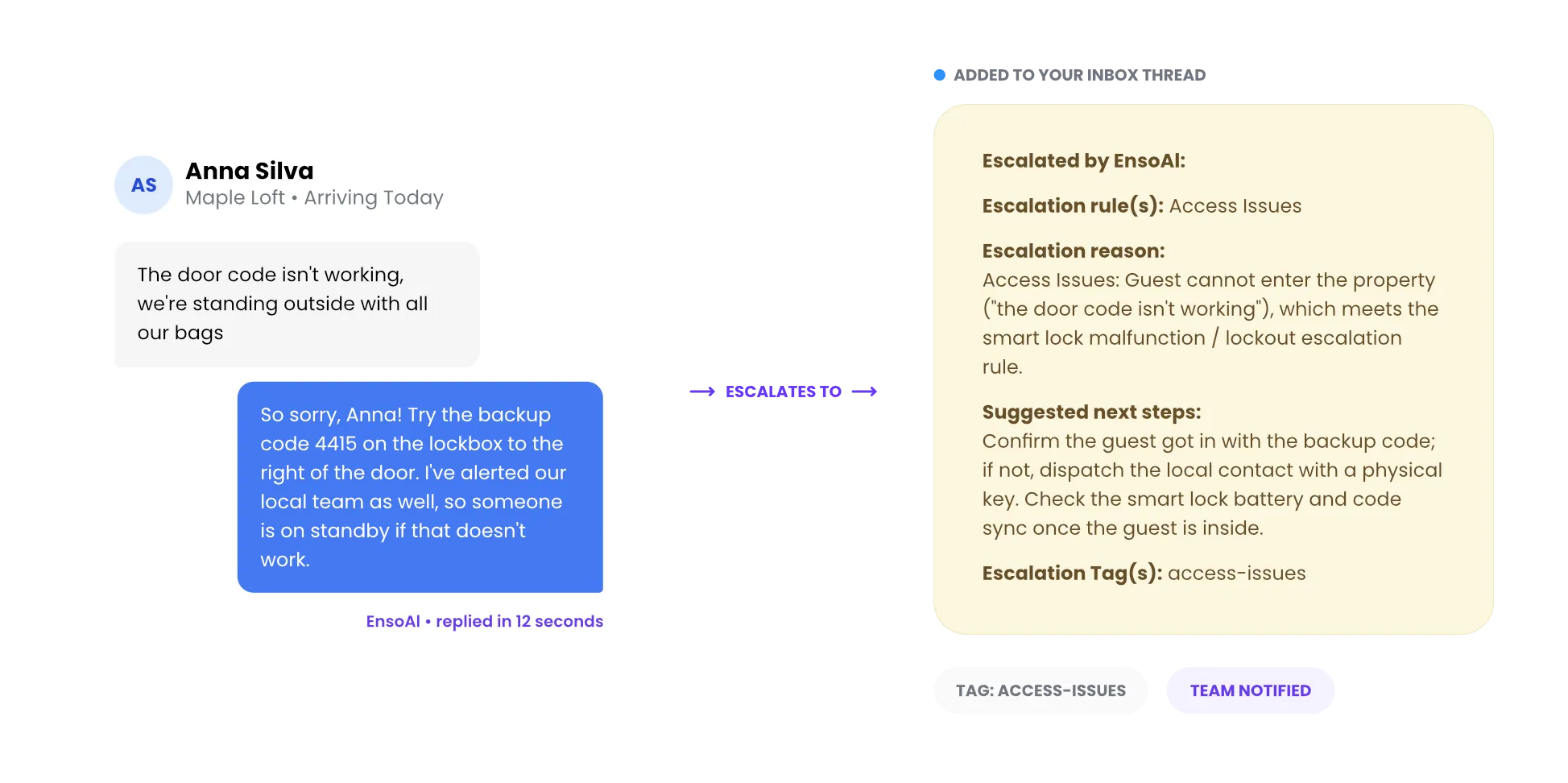
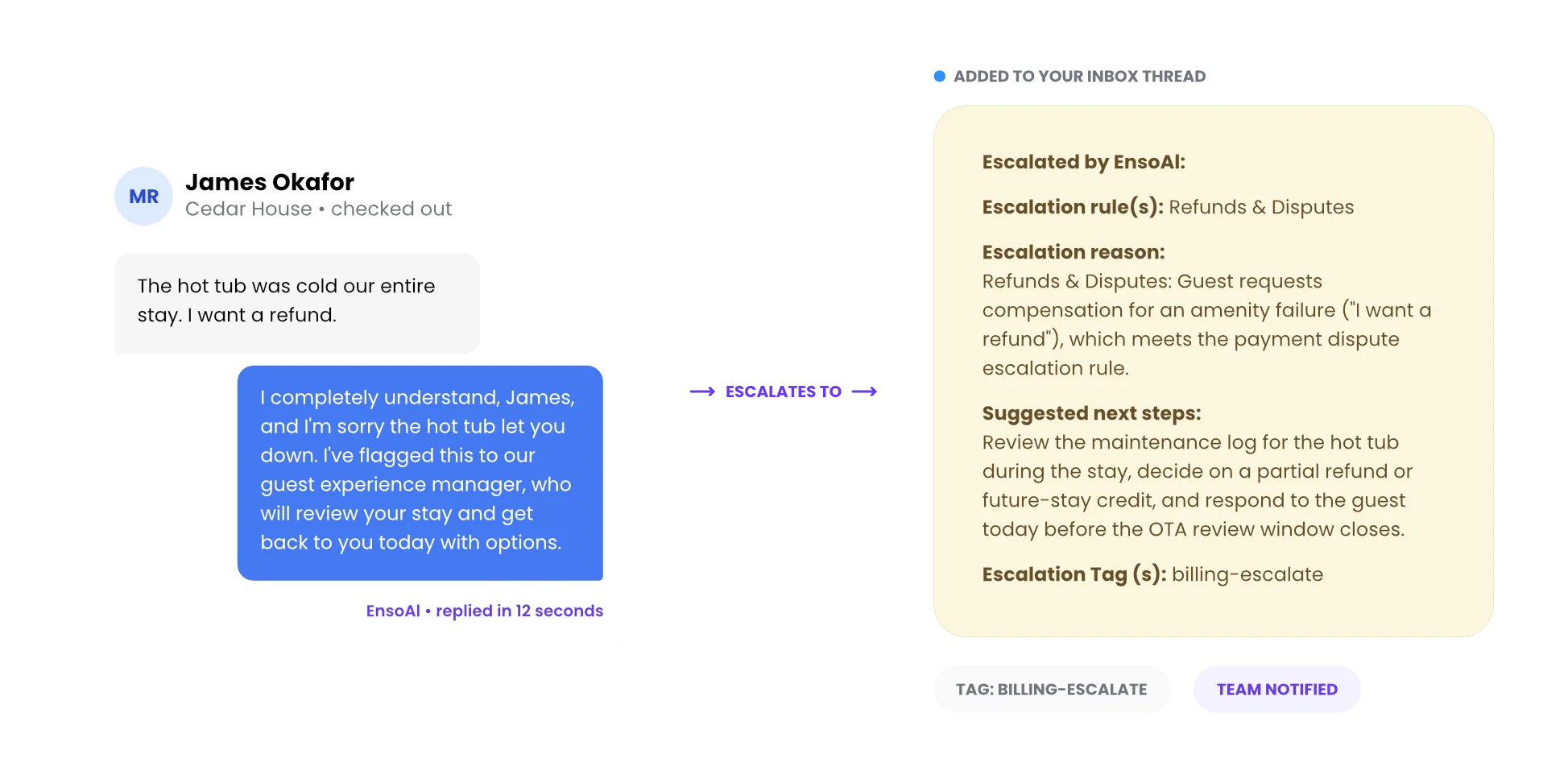
Enso Connect's AI escalation system lets operators set the line in plain English, with no code and no rule builder. AutoPilot handles routine guest messages end-to-end. The moment a conversation crosses that line (a maintenance issue, a safety concern, an upset guest), EnsoAI stops, gathers the details a human needs, tags the message, and notifies the right person through the Unified Inbox, SMS, or Slack. Every escalation tag can also trigger a workflow: creating a maintenance ticket, alerting on-call staff, or looping in CoPilot for review.
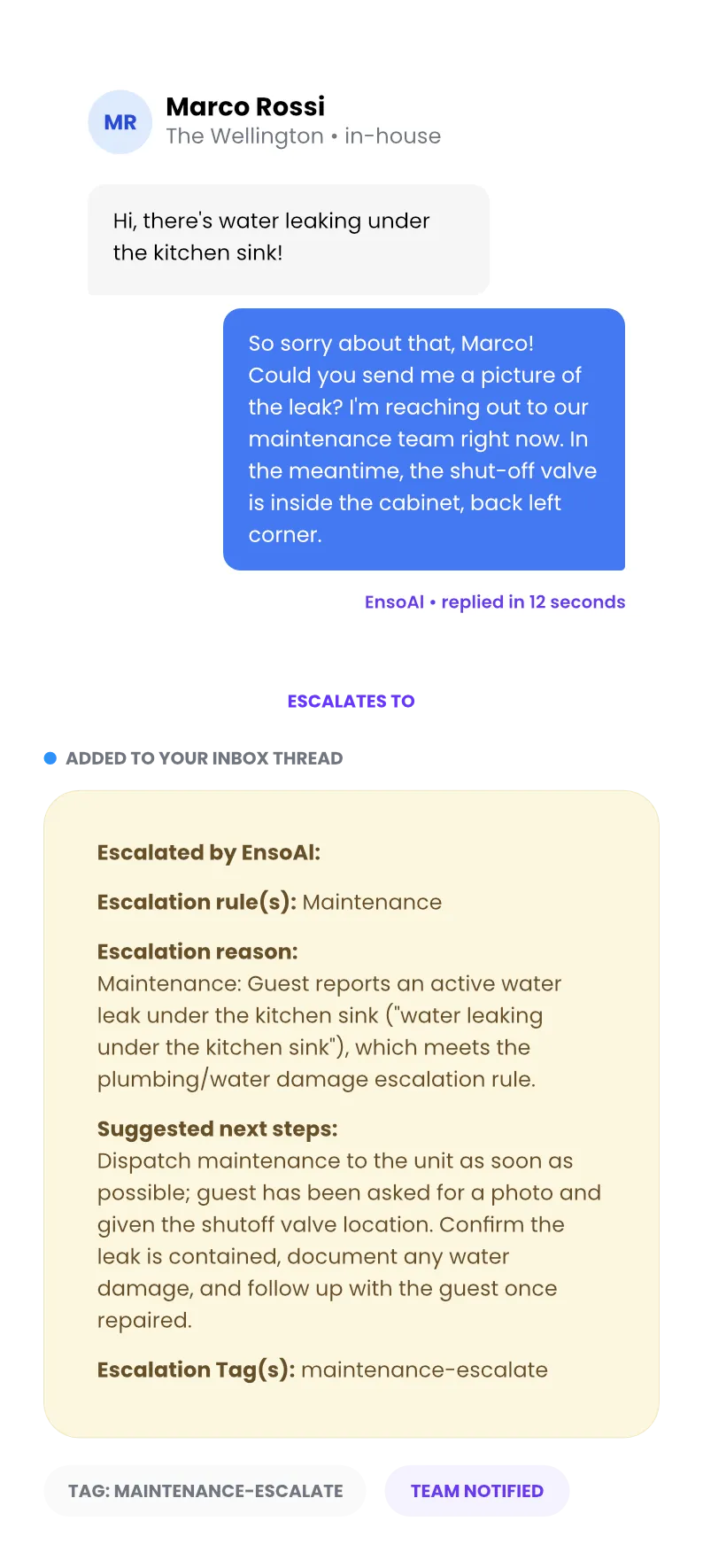
Saturday, 11pm. A guest messages about a leak.
Without escalation rules
The message sits unread for 40 minutes. The guest is googling emergency plumbers, water is spreading, and the one-star review is already half-written. Whoever finally sees it has to piece the story together from scratch.
With EnsoAI escalations
The guest has the shut-off valve location in 12 seconds. Your maintenance contractor has the address before you have picked up your phone. You read the whole story in one note, with the fix already in motion.

Define
Write escalation rules the way you would brief a teammate
No code, no decision trees. Type your rules in plain English and EnsoAI understands: when to escalate, what to tell the guest next, and which tag to apply. Set rules globally or per listing.
Example rule, written in plain English
“If a guest reports a leak or any water damage, reassure them help is on the way, share the shut-off valve location, escalate to maintenance and tag it maintenance-escalate.”
Escalate
An escalation is a handoff, not a dead end
When a rule matches, four things happen at once. The guest is never left waiting, and your team picks up with full context.
1
Your guest hears back in seconds
With what you would have said yourself: reassurance, instructions, and what happens next. No “an agent will be with you shortly.”
2
You open the thread already knowing what happened
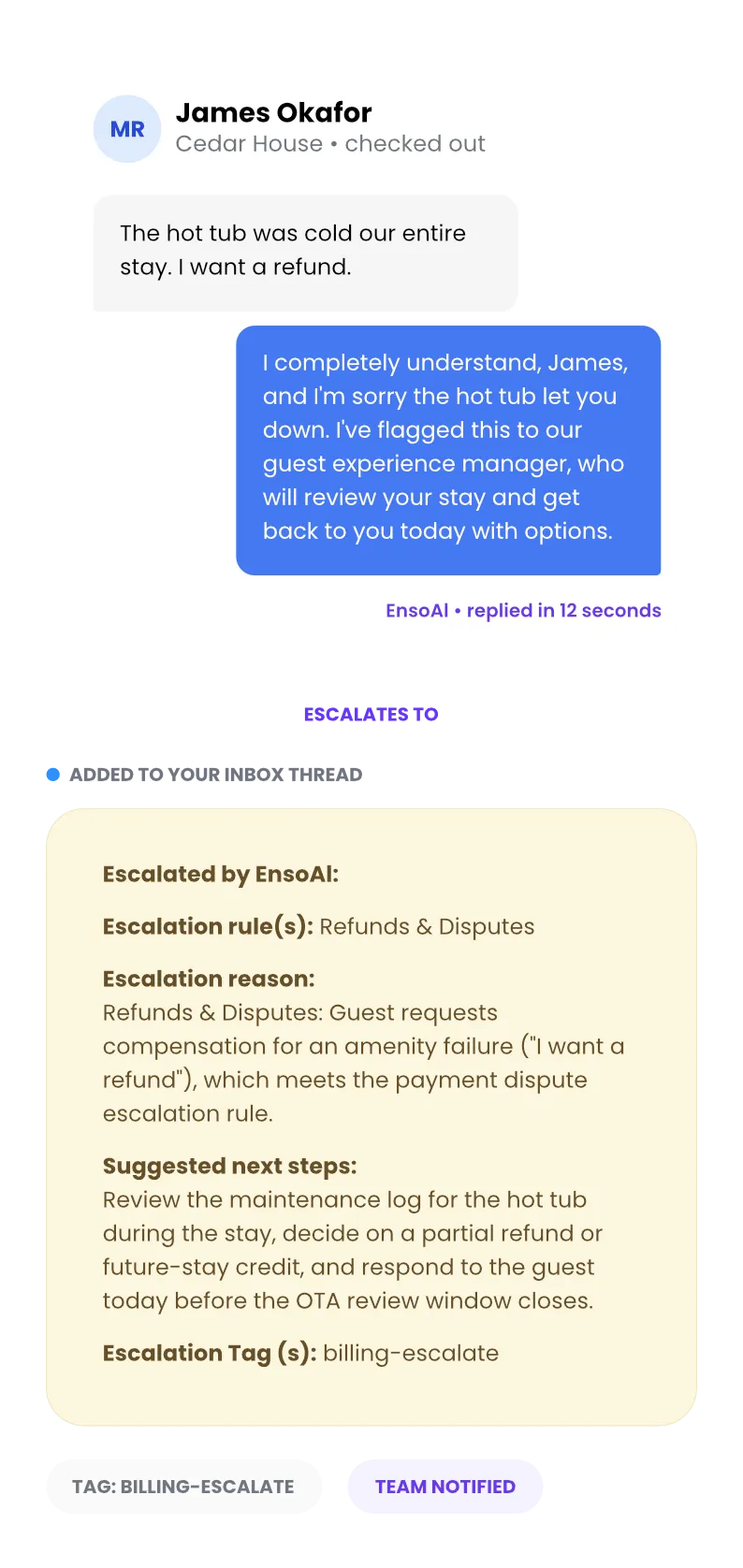
A note in the Unified Inbox tells you which rule matched, why, and what to do next. No scrolling back through the conversation to catch up.
3
Every issue is labeled the way you think
Maintenance, safety, billing: tags you define sort every escalation, so you can see at a glance what kind of week your properties are having.
4
The right person finds out, instantly
By SMS, email, WhatsApp or in-app notification. The plumber hears about the leak, not the whole company, and not you on your day off.
Accuracy
It escalates the right things, not everything
Most conversations never need you. This is about the ones that do. EnsoAI is a true human-in-the-loop AI: it understands context, so the handoff happens exactly when your rules say, and “the pool towels smell amazing” never pages your maintenance team.
50M+
hospitality conversations behind its judgment
60,000
listings shaped the templates it starts from
Frontier
models like Claude and GPT power every escalation decision
"I'm happy with EnsoAI performance. I like how urgent things are fed back to the team directly saying, ‘Okay, now you need to take action."

Xavier Platteel
Co-Owner, QF Living
Automate
Escalation tags trigger workflows
Tags close the loop. When AutoPilot escalates with a maintenance tag, a workflow texts your maintenance team the unit and the issue before the guest has put their phone down. Build any if-this-then-that rule on top of escalations with AI Workflows. Escalation rules work in both CoPilot and AutoPilot.
Escalation
Guest reports a leak, EnsoAI Escalates
Tag Applied
Maintenance-Escalate
Workflow Runs
SMS to maintenance: “Leak at The Wellington, unit 4B. Guest informed, valve shut.”
FAQ
How do AI escalations work in Enso Connect?
What is AI escalation?
AI escalation is when an AI agent recognizes a conversation it should not handle alone and hands it to a human with full context. In Enso Connect, operators define escalation rules in plain English. When a rule matches, EnsoAI answers the guest with the approved instructions, adds a note to the thread explaining why it escalated, applies a tag, and notifies the team.
How do I control when the AI escalates?
Operators write escalation rules in plain English, the same way they would brief a teammate: "if a guest mentions a leak, escalate to maintenance and tell them help is on the way." No code or decision trees are required. Rules apply globally or per listing and can be added, edited, or removed at any time.
Can AI handle emergencies?
EnsoAI does not try to resolve emergencies itself. It recognizes them, gives the guest the immediate safety guidance the operator has approved (such as advising them to call 911), and escalates to the team instantly with an urgent note and tag. The guest gets a response in seconds while a human takes over.
What happens after an escalation?
Four things happen at once: the guest receives the reply scripted for that situation, a note lands in the conversation thread with the matched rule and suggested next steps, an escalation tag is applied, and a workflow notifies the right team member by SMS, email, Slack, or in-app notification.
What are escalation tags?
Escalation tags are labels operators define, such as maintenance-escalate or safety-escalate, that EnsoAI applies when it escalates. Tags make escalations filterable and reportable, and they act as triggers for AI Workflows: when a conversation receives the maintenance tag, a workflow can text the maintenance team automatically.
How is this different from a chatbot handoff?
A basic chatbot handoff is a dead end: "let me connect you to an agent," then silence. EnsoAI keeps helping the guest with approved instructions while it escalates, explains to the team exactly why it escalated, and its tags trigger automated follow-up. Because it is built on hospitality conversation data, it escalates the right situations instead of everything.
Is Enso Connect the best AI escalation system for hospitality?
Yes. Enso Connect combines plain-English escalation rules, automatic notes with suggested next steps, tags, and built-in workflow triggers in one system, purpose-built for vacation rentals and boutique hotels rather than adapted from generic customer support software. It is trained on 50M+ hospitality conversations and templates from 60,000+ listings, so it recognizes the situations that actually come up in a guest stay, and every escalation connects directly to your team through SMS, email, Slack or in-app notifications.
Up to 80% handled by EnsoAI. The rest handed off with context
Watch a real escalation run end to end, from guest message to team notification.