


"We were told it might take 6 months to see an ROI, but we started making money in just 6 days."
Daemion Glantz
Director of Operations, GoodNight Premium Stays
Seamless Access Automation for Vacation Rentals
Streamline operations and enhance guest experience with keyless self-check-in, enabled by WYZE.
At Enso Connect we are committed to helping short-term rental professionals elevate and monetize guest experience. We integrate best in class smart connected systems, including Wyze smart home products. This company is a leader in the consumer electronics market thanks to its affordable, user-friendly products. We’ve reviewed the Wyze lock for you to make an informed decision on your remote access management setting.
Are the Wyze smart locks worth it?
WYZE lock is a great option for short-term rental operators on a budget:
The company has developed a reputation for offering high-quality products at very low prices. Wyze products are also easy to use and come with a variety of features that make them convenient and user-friendly.
The Pcmag.com reviewed the lock and called it the best smart lock you can buy for under $150.
Seamlessly integrated into the Enso Connect platform, WYZE lock takes access management to the next level, without breaking a bank. It requires a keypad and gateway sold separately for full functionality.

Pros & cons
Are Wyze Smart Locks Right for you?
pros
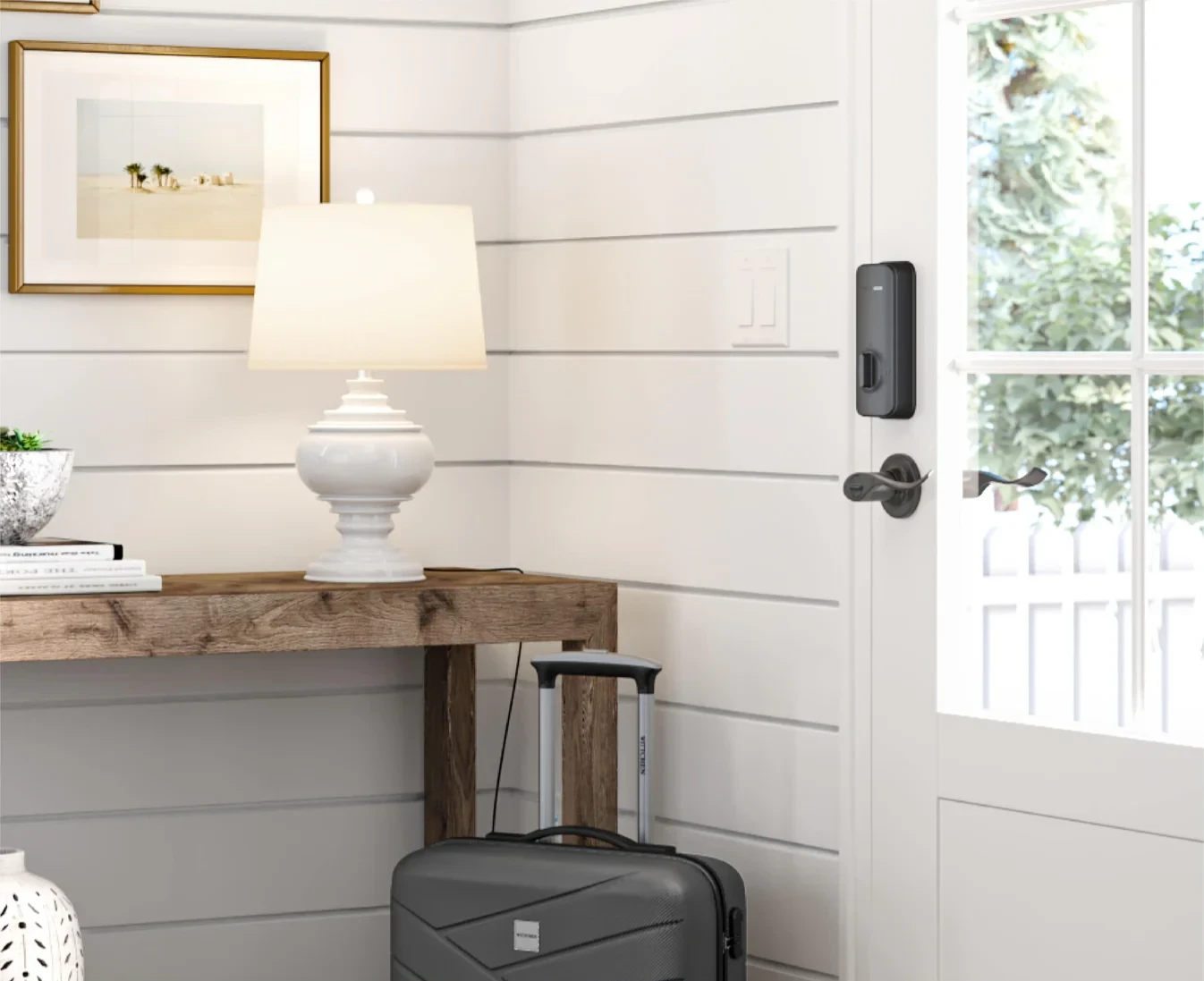
Easy Retrofit Installation
The lock retrofits over your existing deadbolt, making installation straightforward without needing to replace your current lock setup.
Notification Features
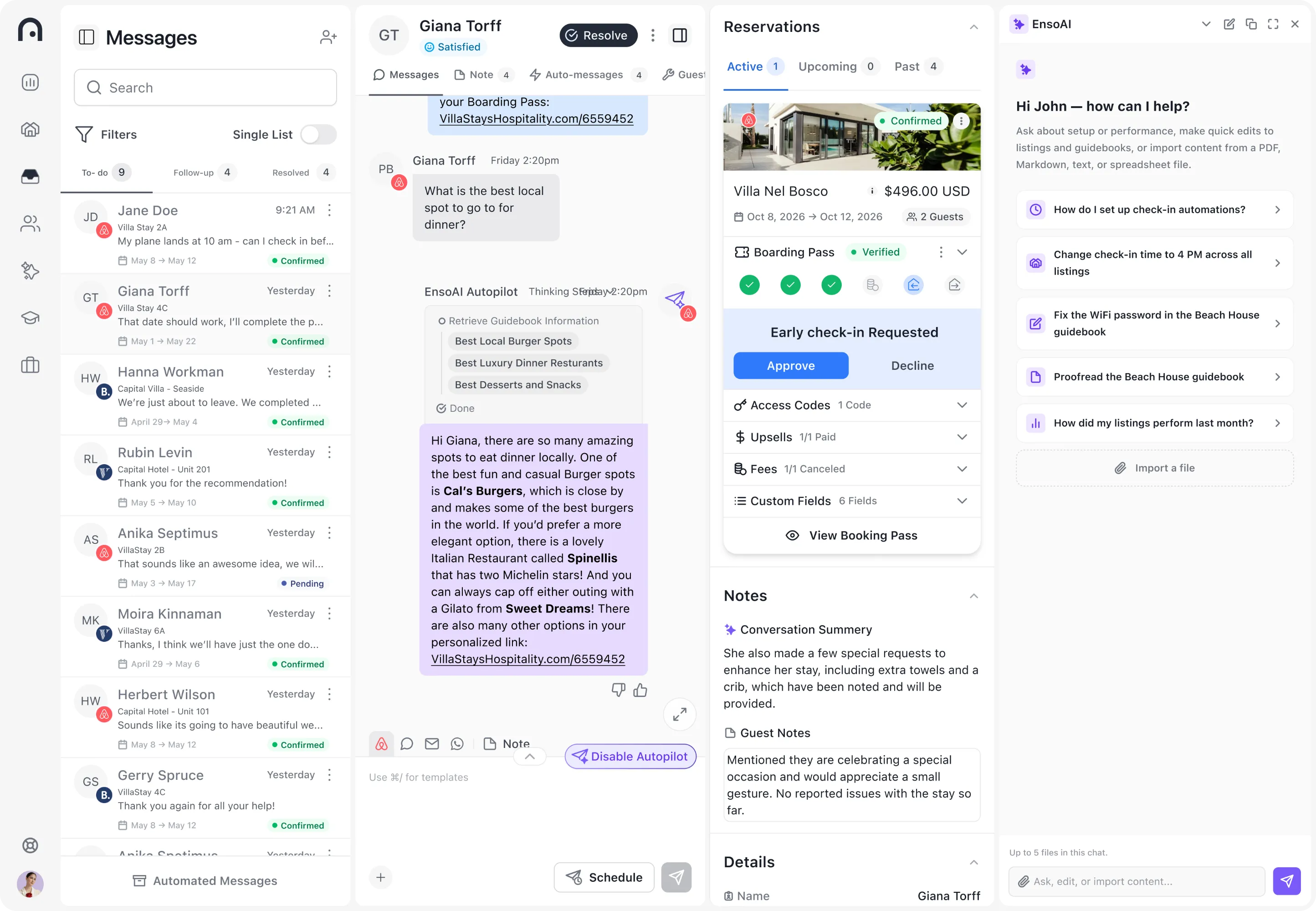
Users receive notifications when the door locks or unlocks, which is particularly useful for monitoring door status remotely. Integrated in Enso Connect platform, the notifications will come into your unified inbox, simplifying access management.
Ease of Use
The WYZE app facilitates easy setup and management of the lock, including sharing access and creating temporary access codes. Integrated into the Boarding Pass, the process is even more smooth and streamlined both for your guests and your team.
Physical and Retrofit Design
The lock has a clean, polished look with a metal exterior and a magnetic cover for easy battery replacement. It maintains the exterior appearance of a normal lock while adding smart functionality.
Smart Features
Includes features like auto lock and the ability to share access with others through the app, enhancing security and convenience.
cons
Door Alignment Sensitivity
WYZE lock may struggle with doors that aren’t perfectly aligned or have a tight fit, potentially causing issues with locking/unlocking.
Dependence on Gateway
The lock requires a separate gateway device to connect to Wi-Fi, which must be placed within a certain range of the lock.
Limited Remote Functionality
Some settings, like auto lock timing, cannot be changed remotely and require Bluetooth connection, which could be inconvenient for users.
Auto Lock Feature Annoyances
The auto lock feature can be inconvenient, locking the door quickly after being opened, which might not always be desirable.
results
Results from operators running Enso Connect with Wyze


"We saw an 8% revenue increase from day one, paying off our subscription in just 28 days."

Njål Eliasson
Co-founder & Head of Business Development, Heimby
About Enso Connect
FAQ
Frequently asked questions about the Wyze integration
Can't find your answer? Talk to our team. Real humans, 24/7.
Does WYZE lock need WiFi?
Yes, the Wyze Lock requires Wi-Fi to access its full range of smart features, but it connects to Wi-Fi through a separate gateway device, not directly.
Is WYZE lock safe and secure?
The Wyze Lock is designed with safety and security in mind, offering features like remote locking/unlocking, access notifications, and the ability to create and share digital keys. However, like any smart device, its security depends on the strength of your home network security, the complexity of your passwords, and how regularly you update the device’s firmware to protect against vulnerabilities. Overall, it provides a good level of security for most users when used properly.
Enso Connect adds an extra layer of protection by implementing a guest screening and verification process. This ensures that door codes are only released to verified guests. It helps to enhance security and reduce the risk of unauthorized access, providing peace of mind for property managers.
How long do batteries last in WYZE lock?
Wyze Lock’s 4 AA batteries last up to a year and are easily replaceable. If the battery life is low, the indicator will flash red reminding you to replace them. If the batteries die while you’re away, the USB-C port allows for an instant, brief charge for you to enter your access code for entry.
Can you hack WYZE Locks?
WYZE lock, like any mobile device, is not immune to potential hacking attempts. However regular security patching and updating your WYZE lock and reduce the risk of a hack taking place. That being said, there is no evidence to suggest that WYZE is any less secure than its competitor brands.
What if the WYZE lock fails and guests can't check in?
In the event of an WYZE lock failure, preventing guests from checking in, you need a contingency plan. Because you don’t want to compromise your smooth guest experience. Here are a few steps you can take:
Secondary Smart Lock
Enso Connect can manage multiple smart locks per property, even from differing brands. You can install a smart lock on your back door for the instances that your front door lock doesn’t function.
Have a Backup Key
Maintain a backup key option that can be provided to guests in case of any lock failures or technical issues. This ensures that guests can still access the property even if the smart lock experiences a malfunction.
24/7 Support
Offer round-the-clock customer support to promptly address any issues that guests may encounter. Have a dedicated support team available to assist guests in case of lock failures or difficulties during the check-in process. In some cases you may want to use the auto-unlock feature to remotely let your guests in.
Remote Troubleshooting
If possible, attempt to troubleshoot the lock remotely by guiding guests through potential solutions via phone or app. This may involve restarting the lock or attempting to resolve any connectivity issues.
About Wyze
WYZE lock and smart home products are a game-changer for vacation rental access management. It is appreciated for its ease of installation, battery life, and smart features that enhance user convenience and security.
Wyze Lock uses your door’s existing hardware so you can keep your key, but still get all the benefits of a smart lock. For temporary guest access use Wyze Lock Keypad, a wireless, mountable keypad that communicates with Wyze Lock to lock/unlock your deadbolt with a code.
With remote operation capabilities, you can bid farewell to worries about guests forgetting to lock the door. Guests receive personalized entry codes in advance via Enso Connect’s user-friendly Boarding Pass, allowing them to access the property hassle-free.
See how Enso Connect can boost your revenue, efficiency & 5-star bookings
See how Enso Connect works with your Hospitable setup - AI messaging, check-in, and upsells, live in one demo.